Role & Permission
Role and permission settings serve as clear reference points that linking each user to their assigned access levels. This streamlines user management directly from the User Details page.
Create Role
Set up a new role by defining its responsibilities and access scope within the system.
- From the Role page, click Add.
- Enter the role name, description, and status, then click Save.
Assign Permissions to Role
Grant specific permissions to a role, ensuring it has the right level of access to perform its tasks effectively.
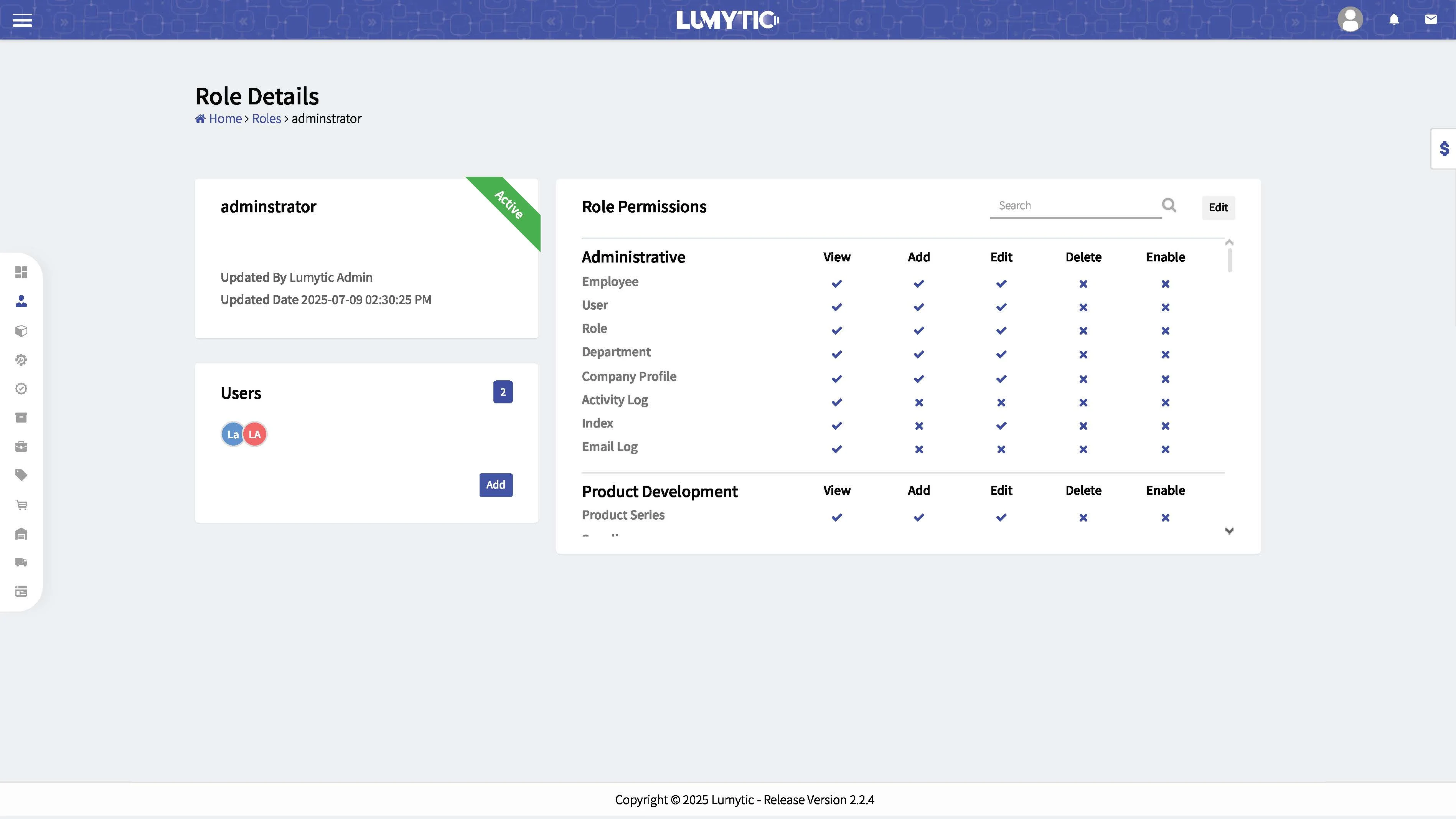
- From Role Details Page
- Go to the role permissions section, click Edit
- Choose permissions you want, then click save.
Assign Role to User
Assign a predefined role to a user to grant them the appropriate access levels and responsibilities based on their position within the organization.
- From Role details page.
- Go to the Users section click on Add button
- Choose user then click save
note
Easily view the assigned roles and permissions for each user directly from their details page