Project
Setup your project with professional forms, create of comprehensive Bills of Quantities, match customer product with those available in Lumytic system, collaborate with development through submitting ticket request, turn BOQ into quotation with simple clicks and much more with Lumytic project app.
-
Project Opportunity Creation
Create building projects as opportunities to track potential deals and manage progress from inquiry to win. -
BOQ (Bill of Quantity) Management
Easily create, copy, move, and arrange items within BOQs for structured project documentation. -
Product Matching Suggestions
Get AI-assisted product recommendations that match customer requests and specifications listed in the BOQ. -
Product Availability Approval
Approve and confirm the availability of proposed items before proceeding with the quotation stage. -
Quick Tickets for Product Search
Create quick requests to check existing products or find alternatives that meet customer requirements. -
Convert BOQ to Quotation
Instantly convert finalized BOQs into quotations with a single click for faster project response. -
Professional Project Proposal Printout
Generate professional proposals that highlight the suggested products with clear visuals and organized details. -
Project Showcase Publishing
Publish successful project cases on the website, complete with a special layout that highlights the products used.
Create project
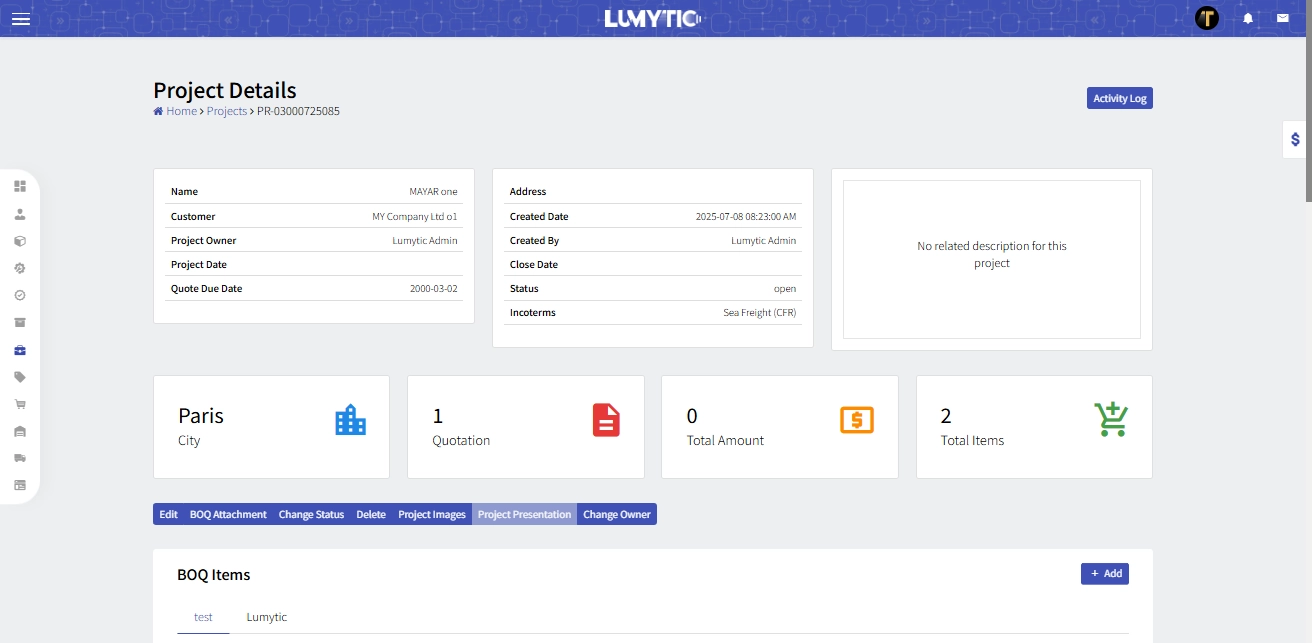
Manage your project lifecycle from creating BOQ to issuance of quotations, streamline your project setup with Lumytic professional forms interface and easily input essential project details with precision and efficiency, ensuring seamless integration into your workflow.
Project Bill Of Quantity (BOQ)
With Lumytic's strong capabilities, you can easily create comprehensive Bills of Quantities that professionally showcase customer requirements matched with available products. Additionally, convert these BOQs into accurate quotations through a smooth and efficient workflow
BOQ Approval request
Streamline product approval processes by submitting requests to the development department for their review and decision on proposed products.
Tickets
Enhance collaboration with the development team by submitting tickets through the Project App to request additional details or clarifications about product attributes and other key information essential to the product development lifecycle.