Sales
The Sales App in Lumytic manages the complete sales workflow from customer registration and quotation generation to order processing, invoice management, and payment confirmation. It enables seamless communication with clients and simplifies the entire sales cycle.
-
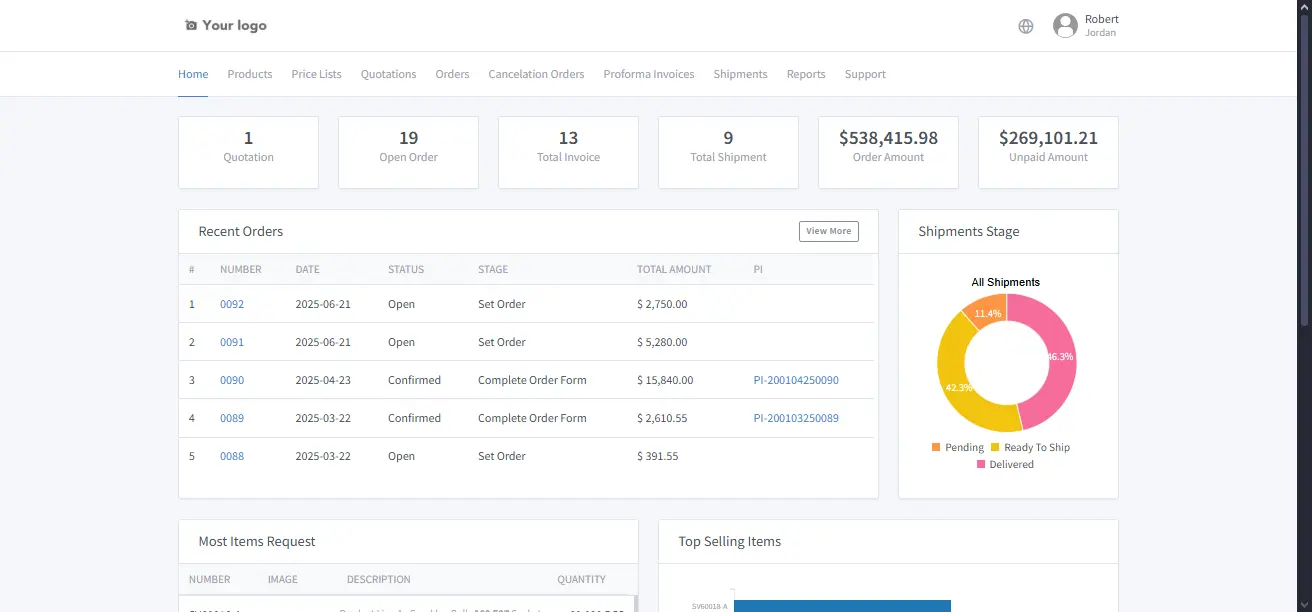
Lumytic Customer Portal
Provide customers with a secure portal to view quotes, orders, and product information in real time. -
Customer Management
Manage all customer information, contacts, and communication history in one place. -
Issue Sales Quotation
Create and send professional sales quotations directly from the system. -
Shared Quotation Links
Generate special links for customers to access quotation files securely. -
Quotation Fee Distribution
Distribute additional fees such as shipping or certification, across individual items in the quotation. Each item’s price reflects these fees, simplifying pricing and speeding up the quotation process while keeping totals accurate. -
Quotation multi-versioning
Manage multiple versions of a quotation to handle revisions or updates easily. -
Incoterm Comparison (Coming Soon)
Compare quotations with different Incoterms to quickly see variations in pricing and delivery terms. -
Export Price List
Generate and export comprehensive price lists for customers or internal use. -
Order Management
Track, manage, and update customer orders throughout the sales process. -
Proforma Invoice (PI) Control
Create, approve, and manage Proforma Invoices efficiently. -
Invoice Update Memo
Generate a memo to record updates or changes made to a Proforma Invoice after it has been signed. This keeps a clear history of revisions, ensuring all modifications are documented for internal reference and audit purposes -
PI Comparison
Compare different Proforma Invoice versions to track changes and updates. -
Document Sequence & QR Validation
Define document numbering sequences and generate QR codes to verify authenticity and validity. -
Send Professional Files by Email
Email quotations, invoices, or reports directly from Lumytic in a professional format. -
Quantity Cancellation Order
Request cancellation of full or partial quantities from customer orders — ensuring inventory and order accuracy. -
Currency Exchange Management
Maintain up-to-date currency exchange rates for accurate financial and quotation calculations.
Customer
The Customer is a core record in the Sales app. It plays a vital role in enabling access to the Customer Portal and is essential for completing the full sales cycle, including quotations, orders, and invoicing.
Quotation
Generate detailed, professional quotations tailored to client needs and Incoterms.
Order
Manage and track orders from placement to payment confirmation.
Proforma Invoice
A Proforma Invoice within the order serves as a preliminary bill, detailing lighting product specifications, quantities, and pricing before the final sale is confirmed. It allows the customer to review the transaction terms prior to payment or production.
Price List
A comprehensive price list used to define standard product pricing. It streamlines the sales process by clearly communicating product prices, terms, and conditions across different customer segments or markets.