Quotation
Generate detailed, professional quotations tailored to client needs and Incoterms.
Create quotation
Use this feature to generate detailed and professional quotations customized to your client’s requirements. Include product selections, pricing, terms, and Incoterms to ensure clear communication and facilitate the sales process.
- From quotation page, click add
- Specify required product quantities, click Next.
- Provide Basic Information including: Company Profile, Contact Person, Currency, Customer and his Contact Enter the Shipping, Certificate, Clearance and Additional fees
- Choose Incoterms, enter Validity and Delivery Days.
- Select payment type and define value and unit.
- View items and quotation summary, all information, then click Save.
Print quotation
Generate a clear, printable version of the quotation for easy review and record-keeping. Provide clients with a professional paper copy of their price details.
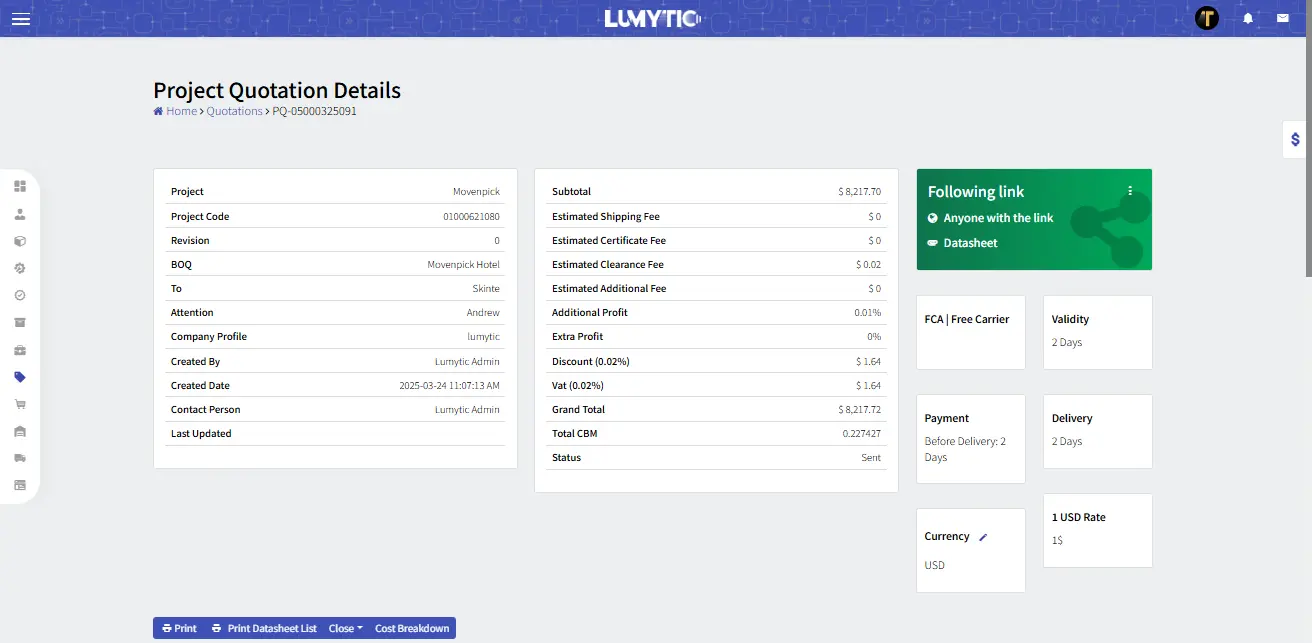
- From Sales Quotation Details Page, click print to export professional quotation documents in one click.
- The system will open the quotation file in a new window for viewing or downloading.
Share quotation via access link
Share a secure access link that contains the quotation details along with associated files such as datasheets and other relevant documents. This makes it easy for clients to view and download all necessary information in one convenient location.
- From the Quotation Details page, go to “Following link” section click “Share” in the corner menu
- You can copy the link, share it, or send it via email allowing recipients to instantly view the quotation details and listed items.
- To include attachments in the shared link, click Files in the corner menu and select the files you want to display automatically