Product Series Catalog
The system allows you to upload and publish product series catalogs to the website in just a few clicks. Each catalog can be tracked with analytics, including view count and download statistics, helping you understand customer interest and engagement
You can upload catalogs directly from the Product Series Management section.
👉 Learn how to upload a catalog
Publish Product Series Catalog
Make your product series catalog accessible online, allowing visitors to easily view or download it. Streamline how your products are showcased to boost engagement and drive sales.
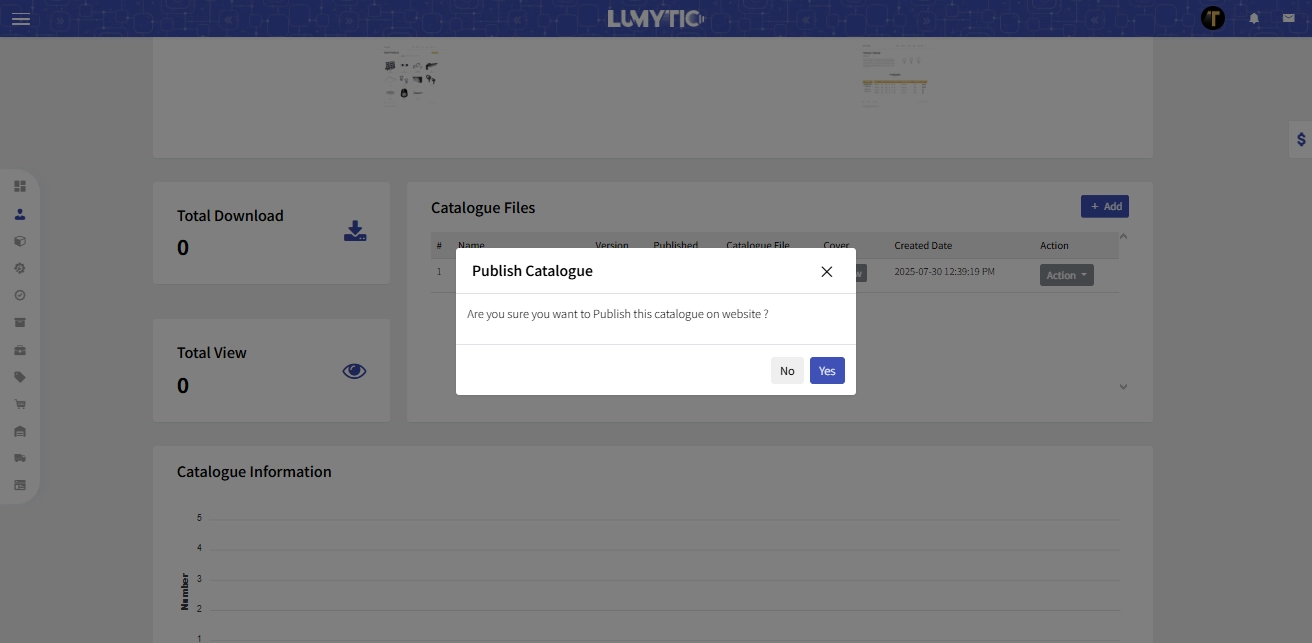
- From product series details page go to catalog files section, in the catalog row you want to publish, then click publish from actions menu.
- The system will display a confirmation message before proceeding with the action