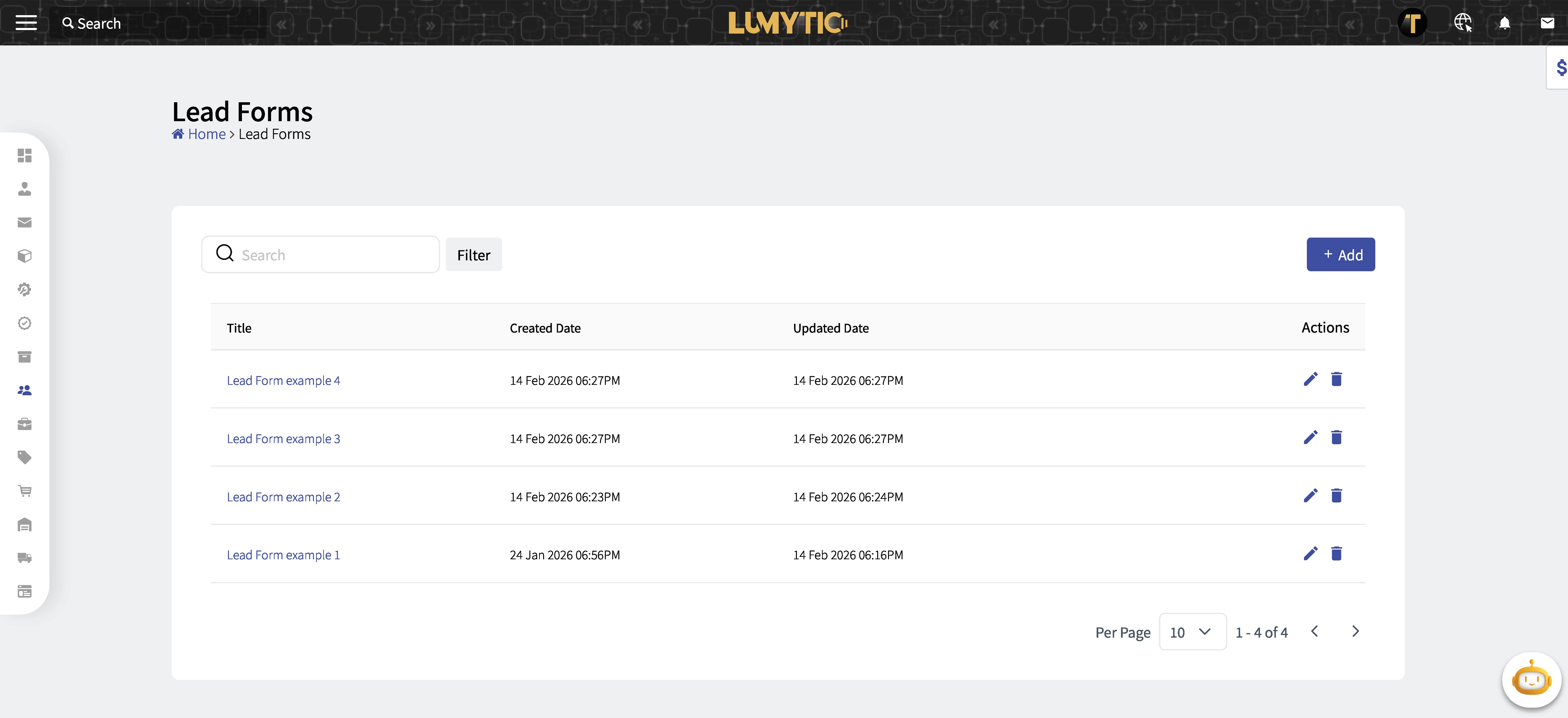
Lead Form
Lead Form simplify the process of capturing visitors' or users' information from your website into your CRM system. They are designed to automate the importing of data. Non-technical users find it easy to design and publish their web forms.
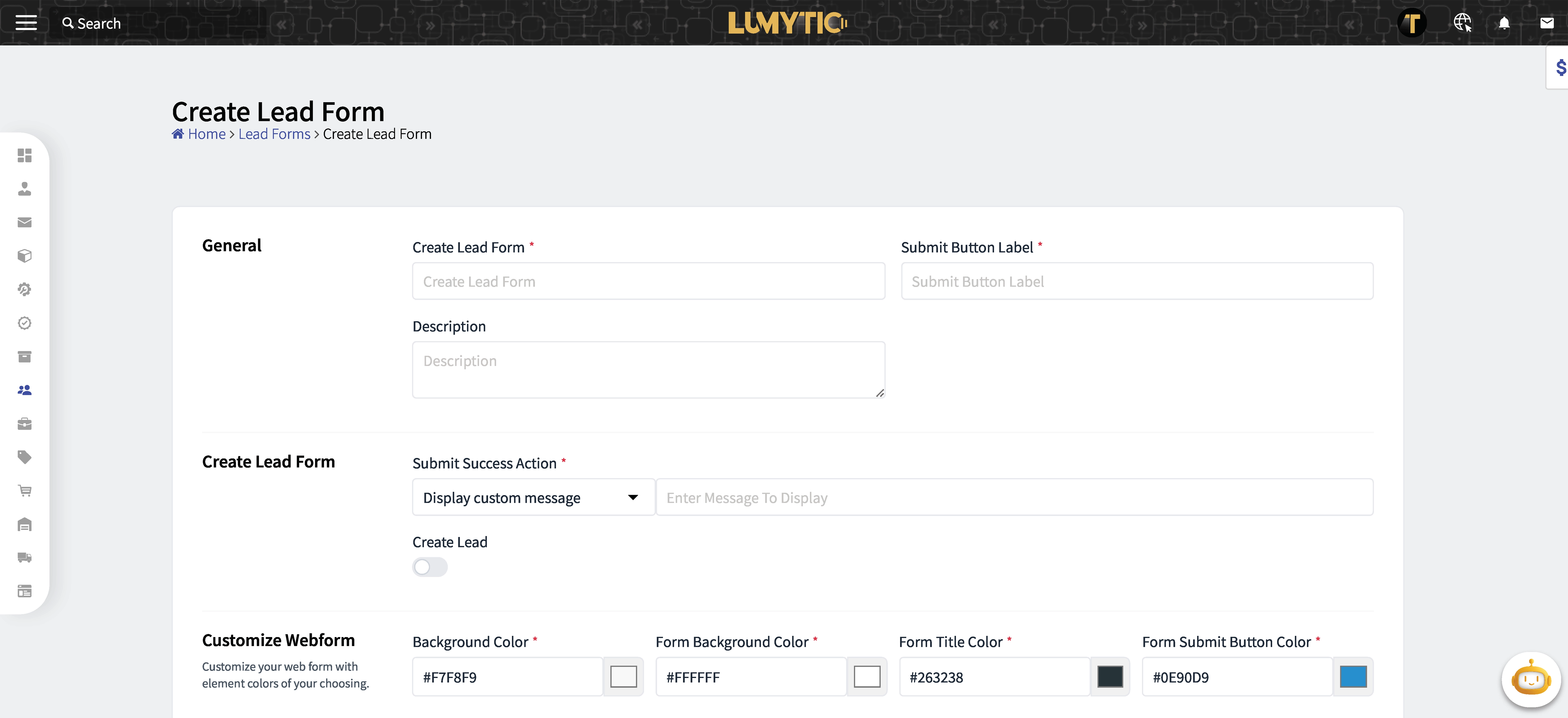
Create Lead Form
Create a new lead form by filling the details in the system.
- From the Lead Form page, click add.
- Enter the basic information of the Lead Form: Lead Form Name, Description, customize Lead Forms (managing the form colors), Attributes.
- Review all input details, then click save.
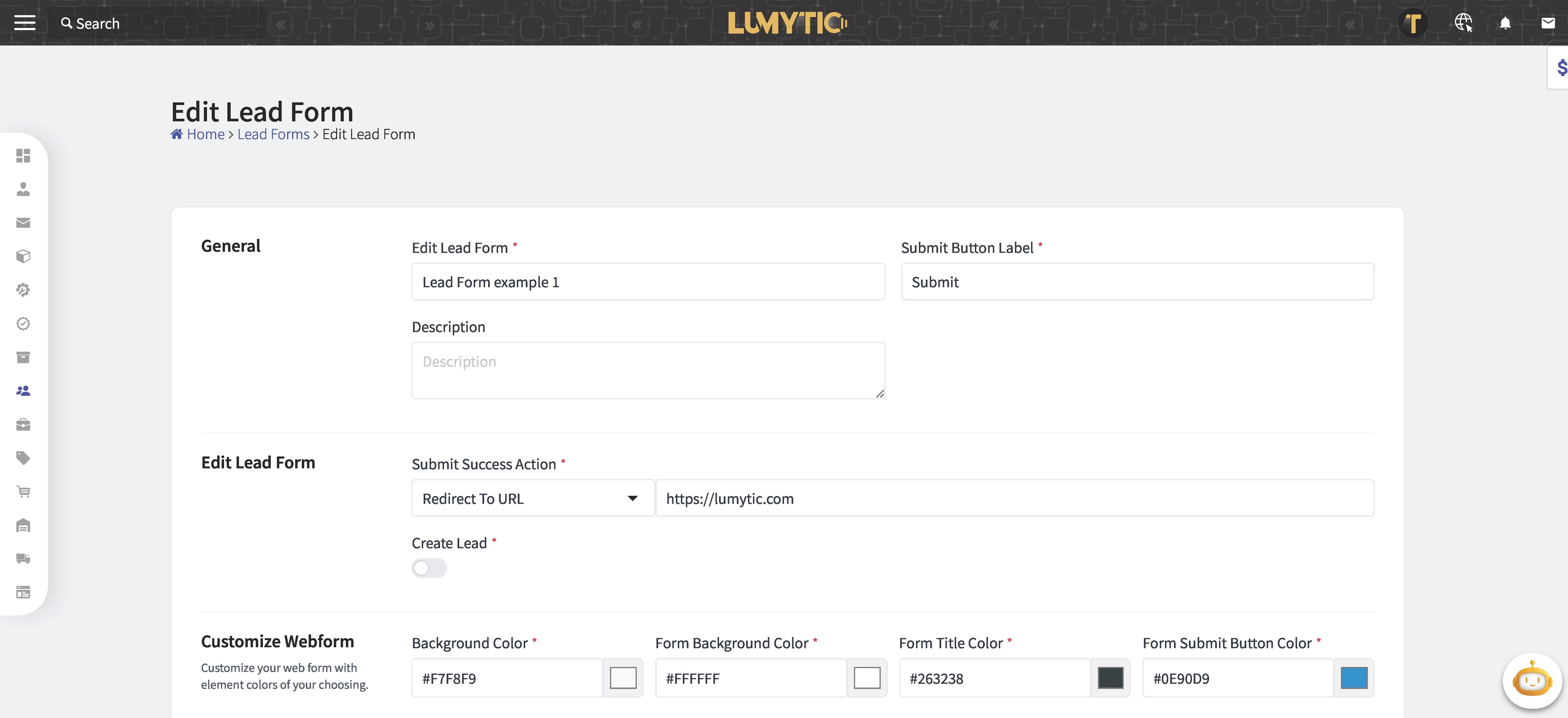
Edit Lead Form
Modify an existing lead form by updating its details in the system.
- From the Lead Form page, click edit.
- Make the necessary updates then click save.