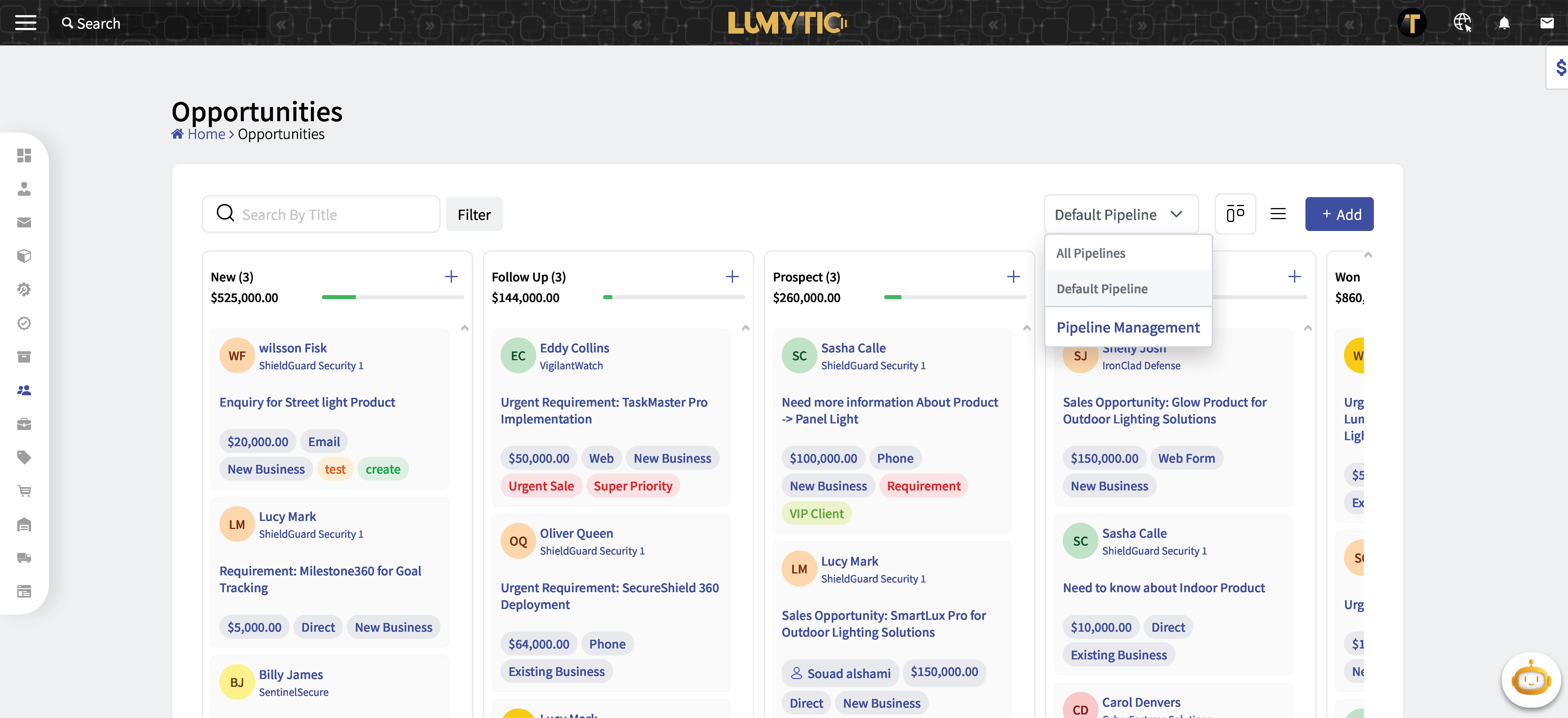
Opportunity
An opportunity is a potential customer or prospect. Generating an opportunity is the first step of the sales process in CRM. opportunity records are designed to store all known information on the opportunity, including company name, address, contact details, and the lead's current position in the sales funnel.
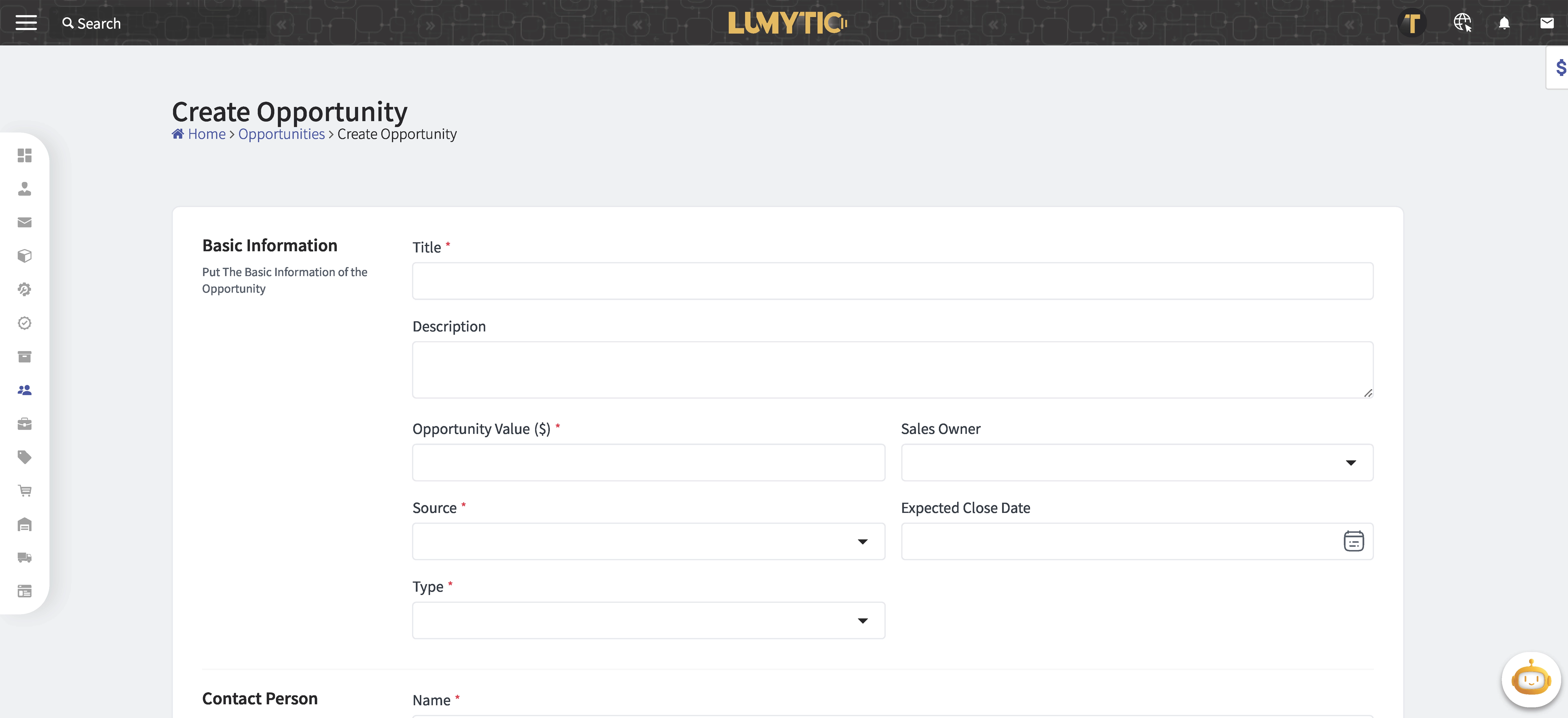
Create Opportunity
Add a new opportunity by filling in its key information in the system.
- From the opportunity page, click add.
- Enter the opportunity details: Title, Description, Source, Type, Expected Closed Date, Sales Owner, Lead Value, Lead Name, Lead Email, Contact Number, Organization.
- Review all input details, then click save.
Opportunities Pipeline
A pipeline refers to the stages through which a potential customer progresses from initial contact to conversion. It's essentially a visual representation of the sales process, outlining the steps that sales representatives take to move prospects from being leads to becoming paying customers.
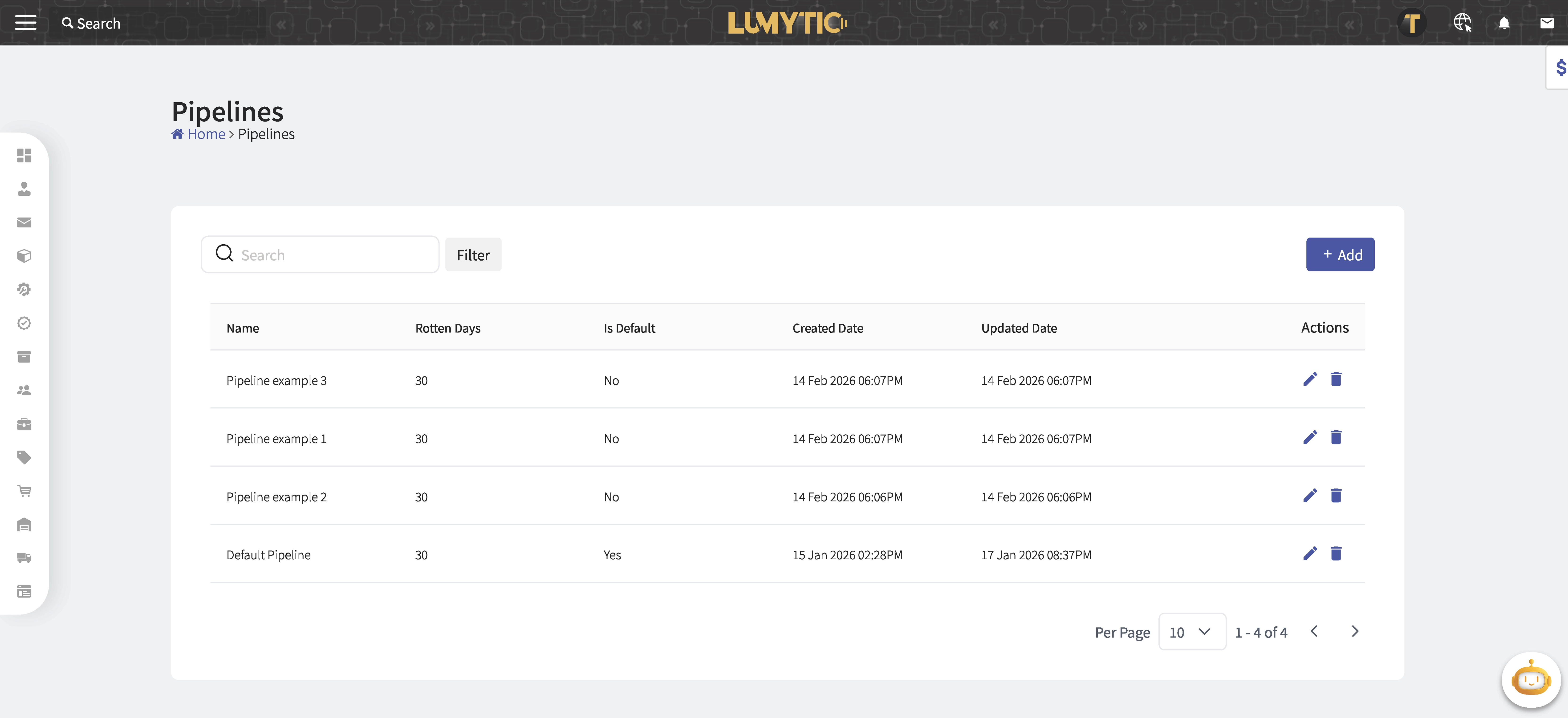
Create Pipeline
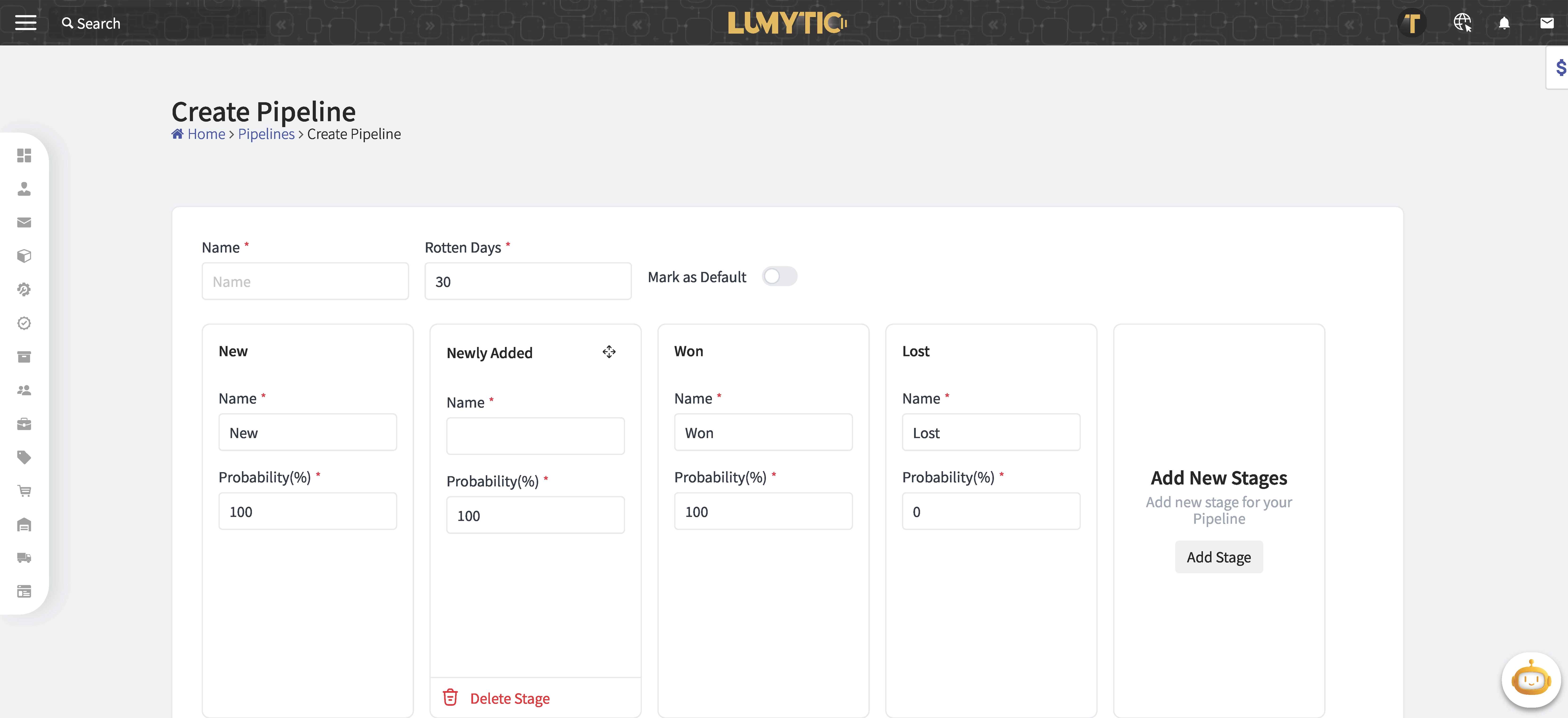
Create a new pipeline by providing its details in the system.
- From the opportunities page go to pipeline filter then click mange pipeline.
- Enter the basic information of the pipeline: Name, Rotten Days, Add stages to the pipeline.
- Review all input details, then click save.
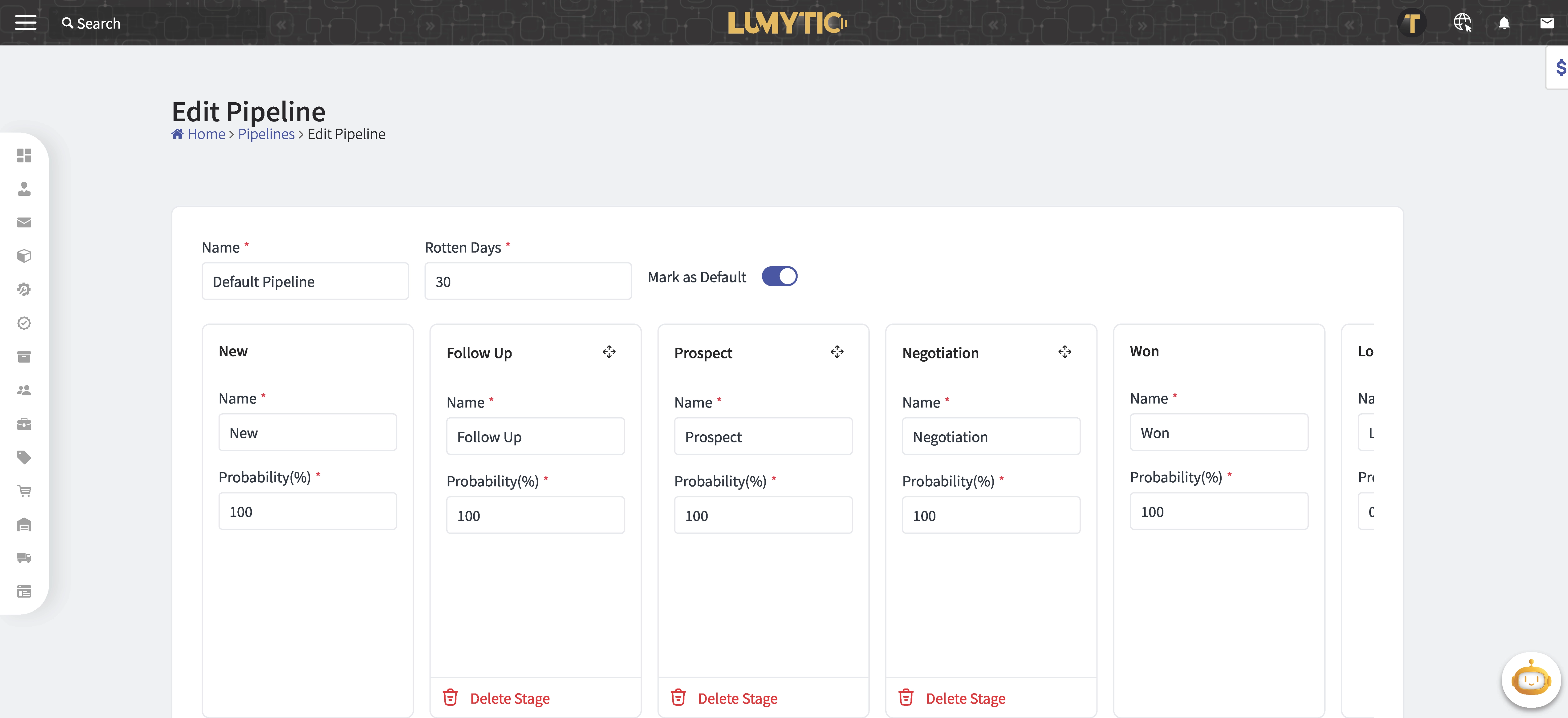
Edit Pipeline
Update an existing organization by modifying its information in the system.
- From the opportunities page go to pipeline filter then click mange pipeline.
- Select the pipeline you want to update. Then, click edit from the Action.
- Make the necessary updates then click save.